What to look for in pay per call software: a buyer's checklist
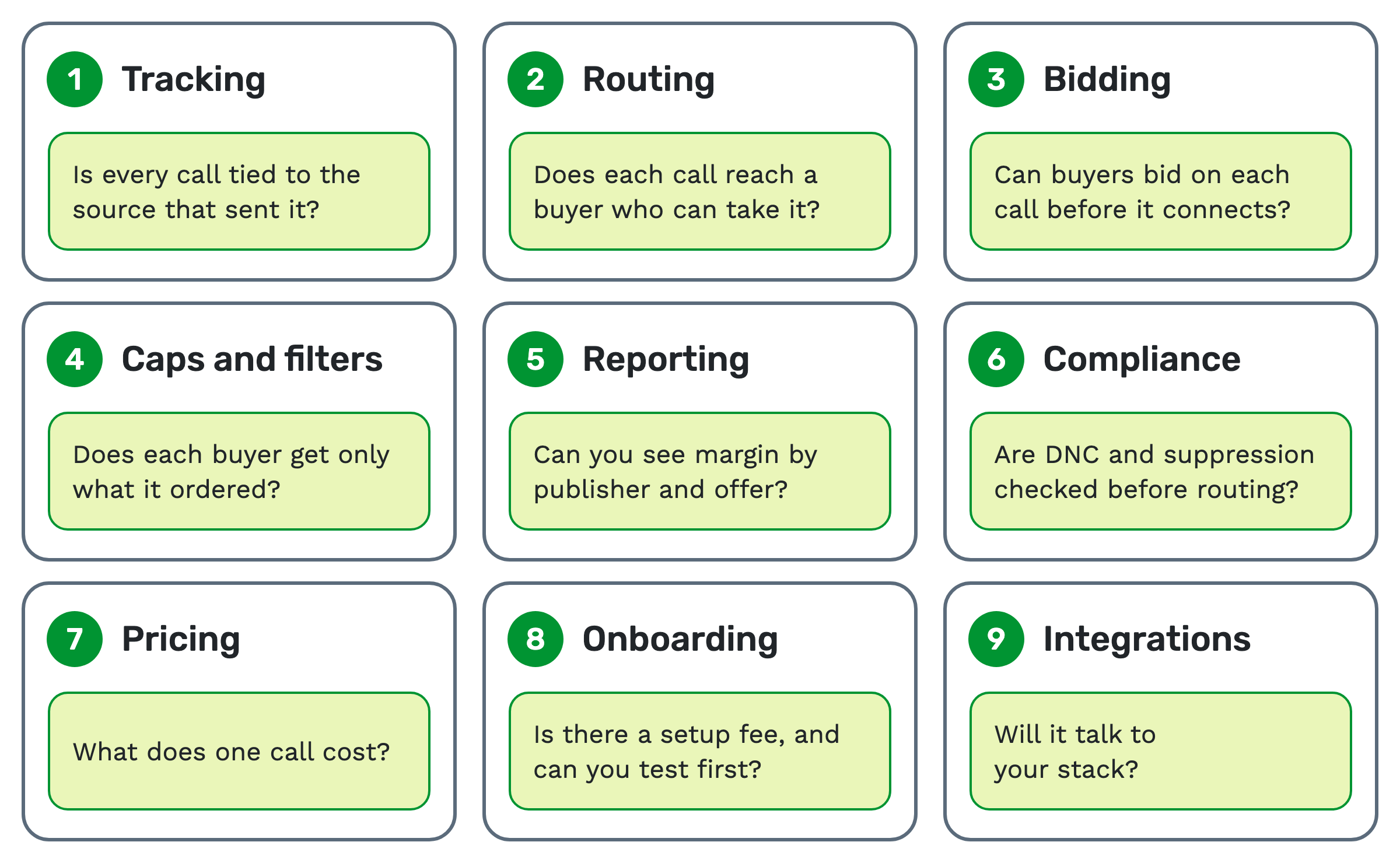
Pay-per-call software tracks, routes and reports every call between the publishers who send calls and the buyers who pay for them. To choose one, check nine things: tracking, routing, bidding, caps and filters, reporting, compliance, pricing, onboarding and integrations.
This page takes each in turn: what to check, why it matters, and how TrackDrive handles it.
Why the choice matters
The platform sits between every call and the money it earns. If it can't tie a call to its source, nobody gets paid correctly. If it routes a call to a buyer who is closed or full, the call is wasted.
Switching later is real work. Your tracking numbers, buyer setups and integrations all live inside it.
Start with what you run
The right checklist depends on your seat.
- Publishers send calls and need clean attribution and fast routing.
- Buyers take calls and need filters, caps and proof of what they paid for.
- Networks run both sides and need margin per publisher and per offer.
- Agencies track calls for clients and need per-campaign numbers and reports.
A network needs every item below. A business tracking its own calls may need only the first two.
1. Tracking: is every call tied to its source?
What to check. A tracking number is a phone number assigned to one publisher or campaign, so every call to it is attributed. Ask how many numbers you can get, in which area codes, and whether toll-free is included.
Then ask about web traffic. Dynamic number insertion (DNI) swaps the number on a web page for each visitor.
A call then ties back to the ad or keyword that sent it. The DNI explainer covers how the swap works.
Why it matters. Attribution decides who gets credit, and so who gets paid.
On TrackDrive. You choose from thousands of local and toll-free numbers in virtually every area code. Call tracking records traffic sources, URL keywords and custom tokens.
DNI installs with one JavaScript snippet. You can also bring your own Twilio, Plivo or Telnyx account, or connect over SIP. More in what inbound call tracking is.
2. Routing: does each call reach a buyer who can take it?
What to check. Routing is the rule that picks which buyer gets a call. Ask how buyers are ranked, how business hours are set, and what happens when nobody can answer.
Why it matters. A call sent to a closed or full buyer is a call nobody pays for.
On TrackDrive. Inbound call routing ranks buyers by tier and weight, by highest bid, or by EPC (earnings per call). Each buyer can sort by its own method.
Hours are set on a 7-day, 24-hour grid. Short-connect calls try the next buyer, and no-buyer calls fall back to voicemail or a hold queue. The routing guide walks through the options.
3. Bidding: can buyers compete for each call?
What to check. Ping-post is a way to sell a call to the highest bidder before it connects. The ping asks buyers for a bid; the post sends the call to the winner. Ask whether fixed-price and live bidders can compete in one auction.
Why it matters. With several buyers, an auction usually pays more than a fixed payout. With one buyer at a fixed price, you don't need it. Skip this item.
On TrackDrive. Ping-post runs static and live bidders in one auction.
Pings can be DNC checked when the offer has DNC rejection turned on (it's off by default). The ping-post explainer has the full walkthrough.
4. Caps and filters: does each buyer get only what it ordered?
What to check. A cap is the most calls a buyer will take in a set period. A filter is a rule a call must match, such as state or vertical. Ask which cap types and intervals exist, and whether concurrency is capped.
Why it matters. Buyers who get calls they didn't order will dispute them.
On TrackDrive. Buyer management caps attempts, connections, conversions and revenue by day, month and in total, plus hourly and concurrency limits. There's no weekly interval.
A buyer is skipped as soon as any cap is hit. Hourly, daily and monthly caps release on their own at the reset; a total cap never resets on its own and its limit can be raised by hand. Filters match any call token with operators such as equals, in, not-in and regex.
5. Reporting: can you see margin by publisher and offer?
What to check. Ask what each call record holds, how reports group calls, and whether exports can run on a schedule. Revenue is what the buyer pays; payout is what the publisher earns. Margin is the gap between them.
Why it matters. You can't fix a source you can't see. A drop in revenue per call shows up here first.
On TrackDrive. Every call lands in the log with its source, offer, buyer, timings, geography, tokens, revenue, payout and margin. Summary reports group calls by buyer, traffic source, offer and dozens of other dimensions.
CSV exports can recur by email. AI call transcription can add a summary and sentiment to each recorded call after it ends.
6. Compliance and PII: are checks run before the call?
What to check. Ask whether DNC and suppression lists are checked before a call routes or dials. PII (personally identifiable information) is data that names a person, such as a name or address. Ask how long the platform keeps it, and who can see it.
Why it matters. A compliance check after the call is too late.
On TrackDrive. Suppression and DNC checks you switch on per offer run before any call routes or dials. On outbound dials they fail closed: if a lookup can't finish, the number is blocked.
PII redaction can clear or hash personal fields after 30 days to 7 years. These tools help, but they don't guarantee compliance on their own. More in the PII redaction guide.
7. Pricing model: what does one call cost?
What to check. Pay-per-call platforms price in two main ways.
- Usage-based: you pay per number, per minute and per 1,000 pings. A quiet month costs less.
- Flat monthly: you pay the same fee each month, often with usage on top. It's simple to budget.
Ask what each unit costs, whether forwarding to the buyer is included, and what fees apply to rejected calls.
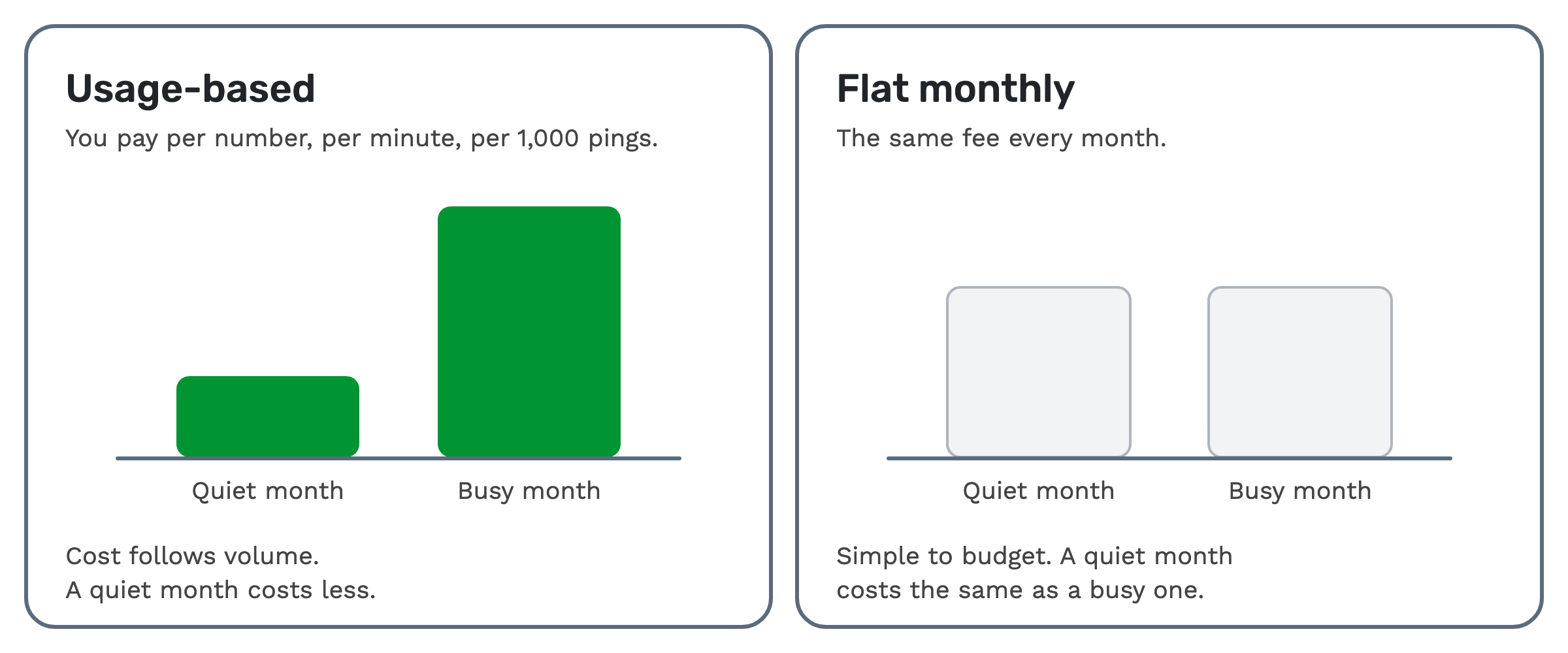 Why it matters. The cheapest plan at 1,000 calls a month can be the most expensive at 50,000.
On TrackDrive. Pricing is usage-based. As of 9 Nov 2026, pay as you go is $4.00 per number a month, $0.055 a minute local and $0.060 toll-free, rounded up to the full minute. Ping-post is $0.12 per 1,000 unique pings on pay-as-you-go, and posts are billed at the same rate. The tracking rates include forwarding the call to your buyer over toll-free or SIP; international and premium rate centers can add cost.
Committing $50 to $8,000 a month lowers these rates. Billing is prepaid. The pricing page lists every rate, including a fee per rejected call.
8. Onboarding: is there a setup fee, and can you test first?
What to check. Ask whether there's an onboarding fee, whether you need a card to try it, and how you get help.
Why it matters. A setup fee is paid before you know if the platform fits.
On TrackDrive. There's no onboarding fee, and sign-up needs no credit card. Support is by phone, live chat and email, with live video sessions on request.
A test call creates a real call record, with the routing trace showing which buyers were tried and why.
9. Integrations and API: will it talk to your stack?
What to check. Ask which CRMs, ad platforms and carriers connect. Then ask whether the API covers everything the dashboard does. A webhook is a message the platform sends to your system the moment something happens.
Why it matters. Reports and payouts often live in another tool. Gaps here become manual work.
On TrackDrive. The REST API uses the same endpoints as the dashboard, though a few dashboard actions have no API. There are 30 or more webhook triggers, and a pre-dial trigger can cancel the dial to a buyer before it rings, so the next buyer is tried.
Listed integrations include Salesforce, Zoho CRM, Google Ads, Slack and Zapier.
When a simpler tool is enough
If you track calls for one business, with no buyers to route to, plain call tracking may be all you need. If you sell to one buyer at a fixed price, you can skip bidding and most caps.
Pay-per-call software earns its place when calls are bought and sold: several sources, several buyers, and a margin to watch.
Questions people ask
What's the difference between call tracking software and pay-per-call software? Call tracking ties each call to its source. Pay-per-call software does that, then routes the call to a buyer and records revenue, payout and margin.
Which is the best pay per call software? The one that fits your seat. Run this checklist on a demo with your own traffic. If you're comparing two platforms, see a side-by-side comparison.
See it in action
Request a demo for a live walkthrough tailored to your use case, or start free, with no credit card and no onboarding fee.